1. 점을 그린다. : svg > circle
<svg width="100%">
	<circle
	  cx={circle.cx}
	  cy={circle.cy}
	  r="0.5rem"
	/>
</svg>- cx : 원 중심의 x축 좌표
- cy : 원 중심의 y축 좌표
- r : 원의 반지름
2. 점과 선에 대한 상태를 관리한다.
-
startPoint : 시작점
const [startPoint, setStartPoint] = React.useState(''); -
lineList : 선
interface Point {
  startPoint: string;
  endPoint: string;
}
const [lineList, setLineList] = React.useState<Point[]>([]);
3. 점을 클릭하면, 업데이트한다.
- 이미 선으로 연결된 점이다, 혹은 점으로 이미 찍은 점이다 → 점을 취소한다 =
setStartPoint(’’) - 1번에 해당하지 않는다 → 선으로 연결한다 =
setLineList(startPoint, endPoint)
const handlePointClick = (e: DataMouseEvent<SVGCircleElement>) => {
  const { id, type } = e.target.dataset;
  if (type === 'top') {
    if (lineList.every(line => line.startPoint !== id) && startPoint !== id) {
      setStartPoint(id);
      return;
    }
    setStartPoint('');
  }

  if (startPoint && type === 'bottom') {
    if (lineList.every(line => line.endPoint !== id)) {
      setLineList([...lineList, { startPoint, endPoint: id }]);
    }
    setStartPoint('');
  }
};

// ..

return (
	<svg>
		<circle
			// ..
			onClick={handlePointClick}
		/>
	</svg>
)
4. 선을 그린다.
3-2번에서 연결한 lineList를 바탕으로 선을 그린다.
<line
  x1={startPoint?.cx}
  y1={startPoint?.cy}
  x2={endPoint?.cx}
  y2={endPoint?.cy}
  stroke={theme.palette.primary.main}
  strokeWidth="0.1rem"
/>
+ 추가
점들의 좌표 손쉽게 구하기
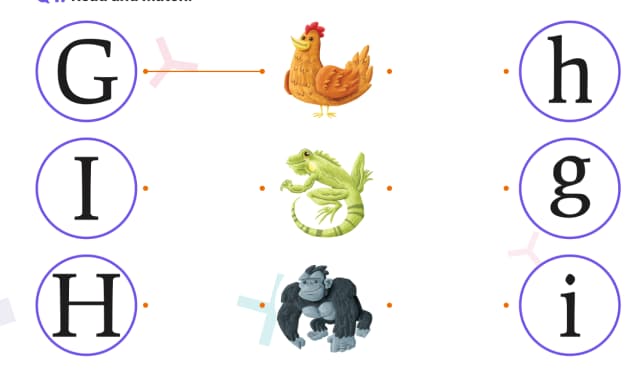
위 같은 그림에서, 각 점들의 높이는 모두 동일하다. 한 번 구해보자. 두 가지 방법이 있다.
- 매 번 ref로 돔에 접근해서 구하기
- 개발자 모드에서 한 번 값을 구하고, 이후에는 해당 값을 활용하기
1번은 과하다고 판단하여, 2번으로 해볼 것이다.
-
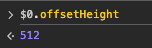
부모 컴포넌트의 높이를 구한다. 이 값은 전체 값이다.
-
첫 번째 요소의 중앙 위치를 구한다.
- 원의 반지름이 80px이므로 80px이다.
-
비율을 구한다.
- 첫 번째 원의 높이 : 80 / 512 = 0.15625
- 두 번째 원의 높이 : 0.5
- 세 번쨰 원의 높이 : 1 - 0.15625 = 0.84375