💡 이 글은 React Native 앱에서 Next.js 웹뷰를 사용하는 프로젝트 코드를 기반하였습니다. 기존의 Next.js의
useRouter를 사용한 라우팅 방식에서 React Native의StackActions을 사용한 라우팅 방식으로의 마이그레이션 과정을 다룹니다.
1. Intro
기존에는 NextJS에서 제공하는 **useRouter**와 Link 태그를 활용해 페이지 라우팅을 진행했습니다.
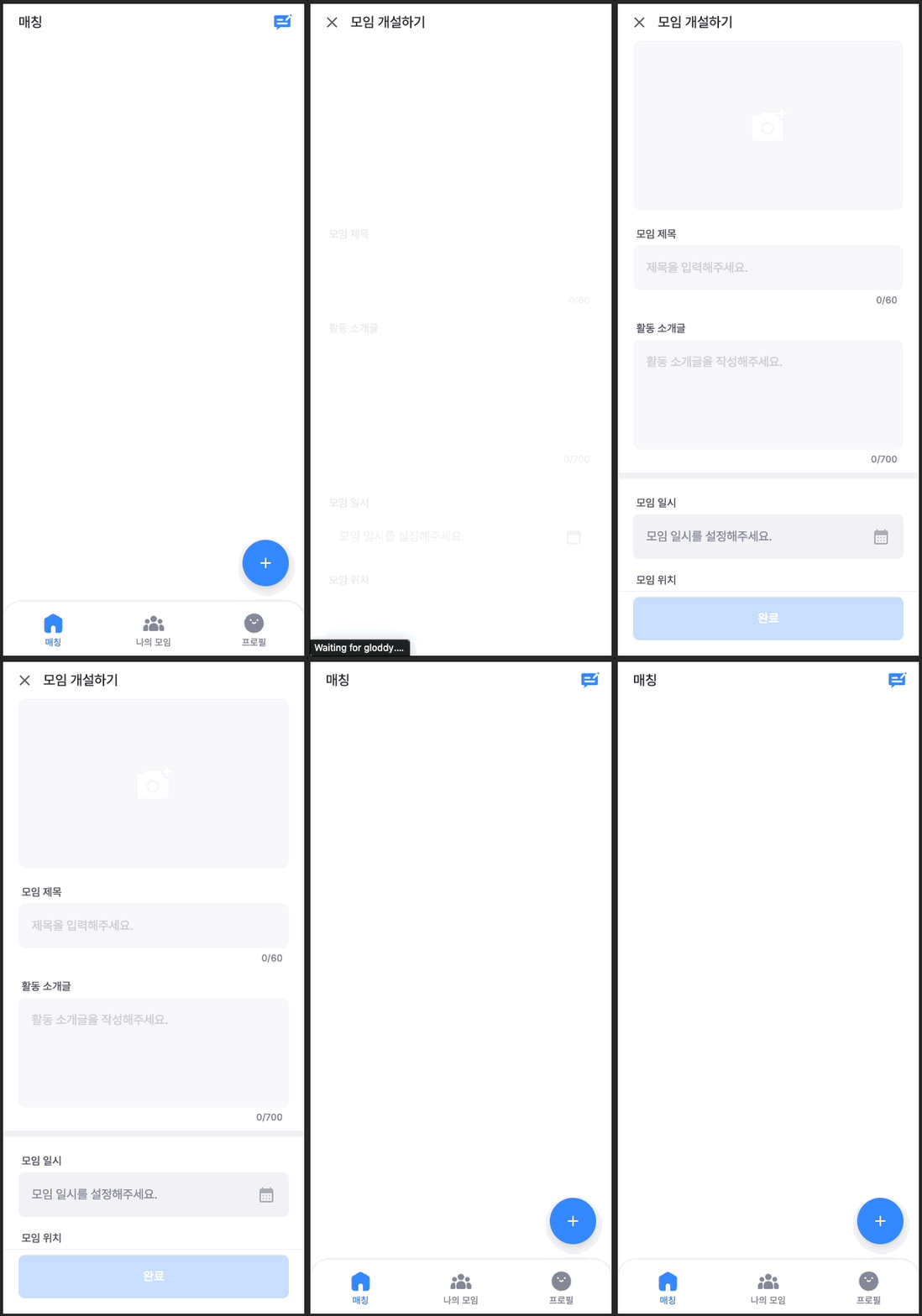
특히 아이폰에서는 페이지 이동 시 애니메이션이 부자연스러웠습니다. 이 문제를 해결하기 위해 React Native에서 페이지 이동을 관리하는 React Navigation을 도입했습니다. 구현 방법은 아래와 같습니다.
2. 코드로 살펴보기
1) 앱 내 웹뷰에서 페이지 이동 버튼 클릭 시, 웹에서 앱으로 신호 전달
// src/hooks/useAppRouter.ts
const useAppRouter = () => {
    const isApp = getIsApp();
    const push = (path: string, scroll?: boolean) => {
        if (isApp)
            return sendMessageToReactNative({
                type: "ROUTER_EVENT",
                data: {
                    path,
                    type: "push",
                },
            });
        return router.push(path, { scroll });
    };
    return { push };
};
웹과 앱 환경을 구분하여 각각 적합한 라우팅 방식을 적용했습니다. 웹 환경에서는 기존의 Next.js의 **useRouter**를, 앱 환경에서는 앱에 메시지를 전송하는 방식을 사용합니다.
**`sendMessageToReactNative`**는 웹에서 앱으로 메시지를 전송하는 함수입니다.
// src/utils/sendMessageToReactNative.ts
interface SendMessageToReactNativeProps {
  type: string;
  data?: any;
}
const sendMessageToReactNative = ({ type, data }: SendMessageToReactNativeProps) => {
  window.ReactNativeWebView &&
    window.ReactNativeWebView.postMessage(
      JSON.stringify({
        data,
        type,
      })
    );
};

export default sendMessageToReactNative;
**`getIsApp`**은 사용자가 접속한 환경이 웹인지 앱인지 판단하는 함수입니다.
// src/utils/getIsApp();
export const getIsApp = () => {
  let isApp = false;
  if (typeof window !== 'undefined' && window.ReactNativeWebView) {
    isApp = true;
  }
  return isApp;
};
**`push`** 외에도 **`back`**, **`replace`**, **`refresh`** 메소드를 포함한 전체 코드는 별도로 확인해주세요.
import { getIsApp } from '@/utils/getIsApp';
import sendMessageToReactNative from '@/utils/sendMessageToReactNative';
import { useRouter } from 'next/navigation';

const useAppRouter = () => {
  const isApp = getIsApp();
  const router = useRouter();

  const push = (path: string, scroll?: boolean) => {
    if (isApp)
      return sendMessageToReactNative({
        type: 'ROUTER_EVENT',
        data: {
          path,
          type: 'PUSH',
        },
      });
    return router.push(path, { scroll });
  };

  const back = () => {
    if (isApp)
      return sendMessageToReactNative({
        type: 'ROUTER_EVENT',
        data: {
          type: 'BACK',
        },
      });
    return router.back();
  };

  const replace = (path: string) => {
    return router.replace(path);
  };

  const refresh = () => {
    if (isApp)
      return sendMessageToReactNative({
        type: 'ROUTER_EVENT',
        data: {
          type: 'REFRESH',
        },
      });
    return router.refresh();
  };
  return { push, back, replace, refresh };
};

export default useAppRouter;
위에서 만든 useAppRouter훅은 아래와 같이 useRouter처럼 사용하면 됩니다.
'use client';
export default function App(){
	const router = useAppRouter();
	const handleButton = () => {
		router.push("/profile");
	}
	return (
		<Button onClick={handleButton}>프로필 페이지로 이동</Button>
	)
}
2) 앱에서 StackActions.push() 메서드를 이용해 새 스택 생성
// components/MainNavigator.jsx
export default function MainNavigator(){
	return (
		<NavigationContainer>
			<Stack.Navigator>
				<Stack.Screen name="WebViewContainer" component={WebViewContainer} />
			</Stack.Navigator>
		</NavigationContainer>
	)
}

// components/WebViewContainer.jsx
export default function WebViewContainer({navigation,route}){
	const requestOnMessage = event => {
		const nativeEvent = JSON.parse(event.nativeEvent.data);
		const {type,data} = nativeEvent;
		switch (type){
			case "ROUTER_EVENT":{
				const {path,type} = data;
				switch (type){
					case "PUSH":
						const pushAction = StackActions.push('WebViewContainer',{
							url:`${SOURCE_URL}${path}`
						});
					navigation.dispatch(pushAction);
					break;
					// ..
				}
			}
		}
	}
			// ..
	return (
		<WebView
			// ..
			onMessage={requestOnMessage}
		/>)
}
React Native에서 페이지를 스택으로 관리하기 위해 Stack Navigation을 사용합니다. StackActions.push를 통해 새로운 페이지 이동을 처리합니다. WebView의 onMessage는 웹뷰에서 보낸 메시지를 처리할 수 있도록 합니다.
requestOnMessage함수의 전체 코드는 토글 열어 확인해주세요.
const requestOnMessage = async event => {
    const nativeEvent = JSON.parse(event.nativeEvent.data);
    const {type, data} = nativeEvent;
    switch (type) {
      case 'ROUTER_EVENT': {
        const {path, type} = data;
        switch (type) {
          case 'PUSH':
            const pushAction = StackActions.push('WebViewContainer', {
              url: `${SOURCE_URL}${path}`,
            });
            navigation.dispatch(pushAction);
            break;
          case 'BACK':
            const popAction = StackActions.pop(1);
            navigation.dispatch(popAction);
            break;
          case 'REPLACE':
            const replaceAction = StackActions.replace('WebViewContainer', {
              url: `${SOURCE_URL}${path}`,
            });
            navigation.dispatch(replaceAction);
            break;
        }
      }
    }
  };
3. 결론
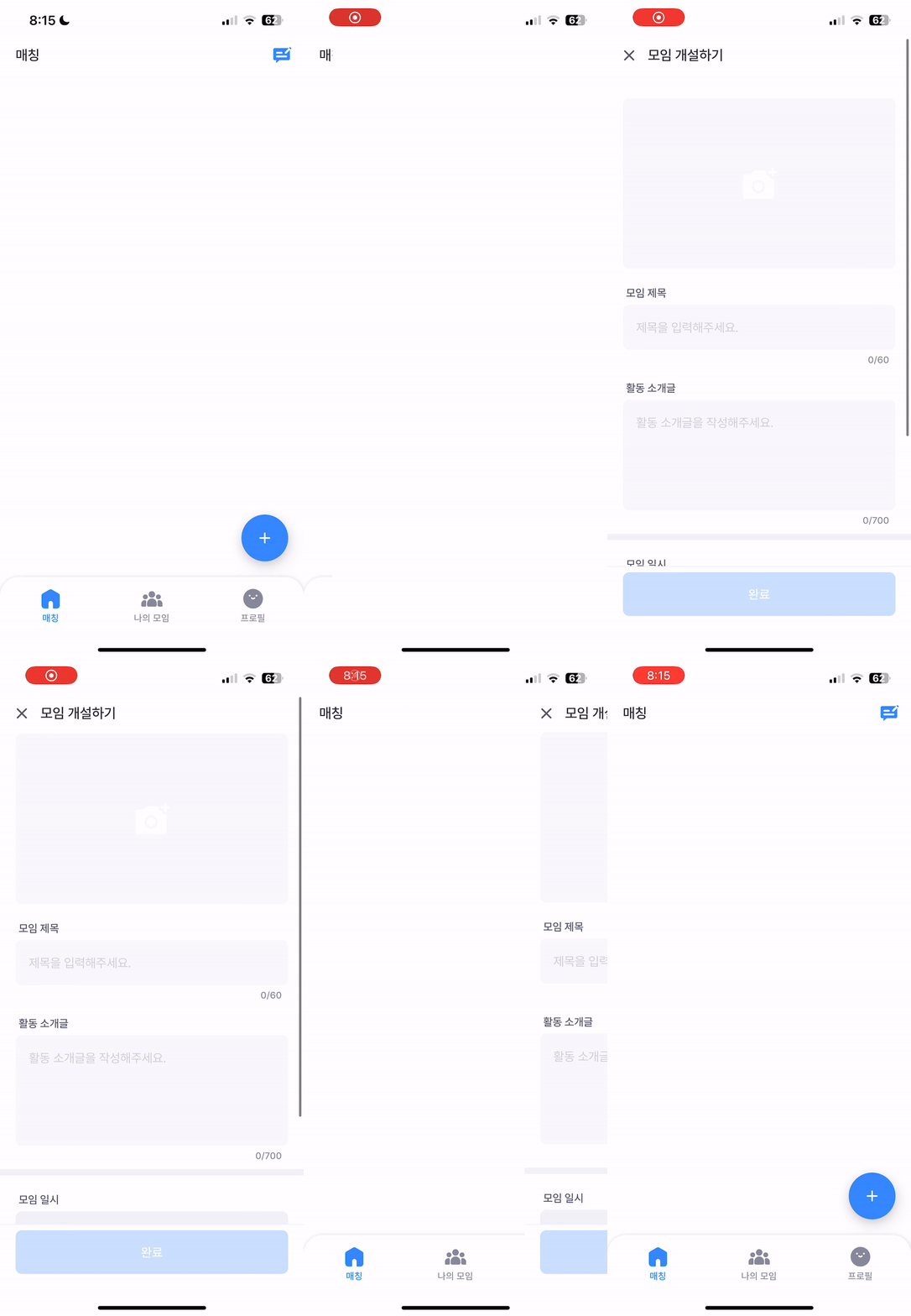
웹에서는 기존 라우팅 방식에서, RN으로 메시지를 전송하는 작업을 하여 63개의 파일이 변경된 상당한 규모의 작업이 진행되었습니다.